

Planning a trip can take hours when you compare hotel prices, check guest reviews, search for vacation rentals, and arrange transportation across different websites. A travel booking platform like Booking.com can make this process easier by bringing many of these options together.
booking.com is an online travel platform that helps people find and reserve hotels, vacation rentals, apartments, flights, rental cars, airport taxis, and selected travel experiences. Travelers can compare available options, review property details, and manage reservations through the website or mobile app. The company was founded in Amsterdam in 1996 and is part of Booking Holdings Inc. Source.
For US travelers, the platform can be useful for weekend getaways, family vacations, business trips, international holidays, and longer stays. You can search for a hotel in New York City, compare beach rentals in Florida, or look for an apartment near a European city center.
However, finding a good deal involves more than choosing the lowest price. Travelers should also consider location, taxes, cancellation rules, guest reviews, and the total cost of their stay.
This guide explains how the platform works, which features matter most, how to compare travel prices, and what to check before confirming a reservation.
How Does Booking.com Work?
The platform connects travelers with hotels, property owners, rental companies, airlines, and other travel service providers. It displays available options and helps customers compare them before making a reservation.
The platform generally acts as an intermediary rather than owning the hotels or vacation rentals listed on its website. In most accommodation bookings, the traveler enters into an agreement with the relevant service provider. Source.
Here is how the booking process typically works.
Step 1. Search for Your Destination
Enter your destination, travel dates, and the number of guests. For accommodation searches, include the number of rooms you need.
You can search for major cities, small towns, beach destinations, national park gateways, and international locations. If your dates are flexible, compare different travel periods to see how prices and availability change.
For example, a family planning a summer vacation in Orlando might compare hotels near theme parks with apartments that offer kitchens and laundry facilities.
Step 2. Compare Available Options
After searching, review the available properties and use filters to narrow the results.
Depending on the destination and listing, you may be able to filter by:
- Price per night or total price.
- Property type and star rating.
- Guest review scores.
- Distance from a landmark or city center.
- Free cancellation options.
- Breakfast availability.
- Swimming pools, parking, and other amenities.
- Accessibility features.
- Payment conditions.
Filters help you find suitable options faster, but do not rely on a single filter. A low-priced property may be far from the attractions you want to visit, while a slightly more expensive hotel could save you money on transportation.
Step 3. Read the Property Details
Open a listing and check the room description, bed arrangements, facilities, house rules, check-in times, and cancellation policy.
For vacation rentals, look for details about cleaning fees, security deposits, shared spaces, kitchen access, and minimum stay requirements.
Photos can help you understand the property’s appearance, but written descriptions and recent guest reviews provide additional context. Confirm that the room or rental you select includes the features you actually need.
Step 4. Enter Your Information
Select the room or accommodation type and provide the requested guest details. Depending on the reservation, you may need to enter contact information and payment details.
Review the price breakdown before proceeding. Some reservations require payment during booking, while others allow payment later or directly at the property.
Step 5. Confirm and Save Your Reservation
After completing the required steps, check for a booking confirmation. Review the dates, guest count, property address, payment terms, and cancellation deadline.
Save the confirmation email and keep the reservation accessible in your account or app. If you need to change your plans, use the instructions provided in the reservation details.
Key Features of Booking.com
The platform offers several features designed to help travelers plan and manage trips. Availability and conditions can vary by destination, property, and reservation.
Hotels and Resorts
Hotels remain a popular choice for travelers who want a private room and services such as front desk assistance, housekeeping, breakfast, or on-site dining.
Search results can include budget hotels, boutique properties, luxury resorts, airport hotels, and extended-stay accommodations.
Before booking, compare the room category, bed size, included amenities, parking charges, and distance from your main destinations. A hotel with a lower nightly rate may cost more overall if it charges extra for parking or breakfast.
Vacation Rentals and Apartments
Vacation rentals can work well for families, groups of friends, and travelers planning longer stays.
Depending on the listing, you may find entire homes, apartments, villas, or private rooms. Some properties include kitchens, laundry machines, separate bedrooms, and living areas.
These features can make a rental more convenient for a weeklong vacation. Still, compare the total price with nearby hotels and pay attention to cleaning fees, house rules, check-in arrangements, and the property’s location.
Flights and Rental Cars
The platform also provides travel services beyond accommodation, including flight searches and rental car reservations in supported markets.
Flight options can help travelers compare routes, departure times, airlines, and fares. Rental car searches can help identify available vehicles, pickup locations, and rental conditions.
Before purchasing a flight, check baggage allowances, change fees, and restrictions on refunds. For rental cars, review insurance options, mileage limits, fuel policies, deposit requirements, and the driver’s age requirements.
A low advertised fare does not always represent the lowest final cost.
Airport Taxis and Travel Experiences
Depending on the destination, travelers may be able to arrange airport transportation and book selected attractions or activities.
Prearranging an airport transfer can be useful after a long flight, especially when traveling with children or carrying several bags. Activities may include guided tours, museums, landmarks, and other local experiences.
Check the pickup instructions, meeting point, luggage allowance, and cancellation conditions before paying for transportation or an activity.
Search Filters and Guest Reviews
Search filters help reduce the number of results, while guest reviews offer insights into previous stays.
Look beyond the overall review score. Read recent comments about cleanliness, noise, staff service, Wi-Fi, location, and the accuracy of the property description.
For example, a hotel might receive excellent reviews for its friendly staff but have recurring complaints about street noise. That information matters if you are a light sleeper.
Prioritize reviews that discuss the features most important to your trip.
Mobile App and Reservation Management
The mobile app lets travelers search for accommodation and access eligible reservations while away from home. Depending on the booking, you may also be able to contact the property, review check-in information, or manage cancellation requests.
Keep your confirmation details available before departure. If you expect to arrive late, contact the property in advance and confirm its late check-in arrangements.

Is Booking.com Good for US Travelers?
The platform can be a useful option for US residents who want to compare accommodation and transportation options in one place. Its usefulness depends on the destination, available inventory, prices, and your travel needs.
For domestic trips, it can help compare hotels and rentals in cities such as Chicago, Las Vegas, Miami, Seattle, and Nashville. For international travel, it can help travelers explore accommodation in destinations across Europe, Asia, and other regions.
Consider these common travel situations.
For family vacations: Compare family rooms, adjoining rooms, apartments, kitchen facilities, parking, and swimming pools. Confirm occupancy limits and any extra charges for children.
For weekend trips: Look for properties near restaurants, entertainment, or the attractions you plan to visit. A convenient location can reduce travel time and transportation costs.
For business travel: Check Wi-Fi availability, workspace facilities, cancellation terms, and proximity to meeting locations. If your employer has a travel policy, confirm that the reservation meets its requirements.
For international holidays: Review the property’s location, local transportation options, check-in arrangements, and payment currency. Confirm passport and entry requirements through official government sources before departure.
For extended stays: Compare weekly or monthly pricing, laundry facilities, kitchen access, and any special conditions for longer reservations.
No single booking platform guarantees the lowest price for every trip. Compare the final offer with the property’s official website and other reputable travel services before deciding.
How to Find Better Travel Deals with Booking.com
Getting a good price requires a little research. These practical steps can help you avoid unnecessary expenses.
Compare the Total Price
Do not judge a hotel by its nightly rate alone. The final amount may include taxes, service charges, cleaning fees, resort fees, or other property-specific costs.
Compare the full amount for your dates and guest count. For example, an apartment with a lower base rate may become more expensive after cleaning charges are added.
When comparing two properties, use the same dates, room occupancy, and cancellation conditions.
Be Flexible With Travel Dates
Prices can change based on demand, local events, holidays, and seasonal travel patterns.
If your schedule allows, compare weekday and weekend stays or shift your arrival by a day. Hotels near popular US destinations can charge more during major events and peak vacation periods.
For domestic trips, check prices around public holidays and school breaks. For international travel, consider local festivals and major sporting events that may affect accommodation availability.
Compare Refundable and Nonrefundable Rates
A nonrefundable reservation may offer a lower price, but it can be expensive if your plans change.
A refundable rate can provide more flexibility, depending on its conditions. Check the precise deadline for canceling without a fee and note the property’s local time zone if the deadline is time sensitive.
Choose the rate that fits your plans and your ability to accept the financial risk of a cancellation.
Check Member Benefits
Eligible users may qualify for discounts or other benefits through the Genius loyalty program. Benefits depend on membership level, participating properties, and the terms of the specific offer.
Sign in before comparing prices and review the details of any discount. Check the final price and included benefits instead of assuming that every property offers the same savings.
Compare Nearby Locations
A hotel in the city center may be convenient but expensive. Properties outside the main tourist area may cost less, although transportation can add to the total.
For a trip to San Francisco, for example, compare accommodation near your planned activities with properties farther away that have convenient public transit access.
Estimate transportation costs before choosing a less central location.
Review the Payment Terms
Some properties charge the full amount in advance, while others allow payment at a later date. A reservation may also require a card to guarantee the booking even if payment is not collected immediately.
Check the currency, payment date, deposit requirements, and accepted payment methods. If paying in a foreign currency, consider any conversion fees your card issuer may charge.
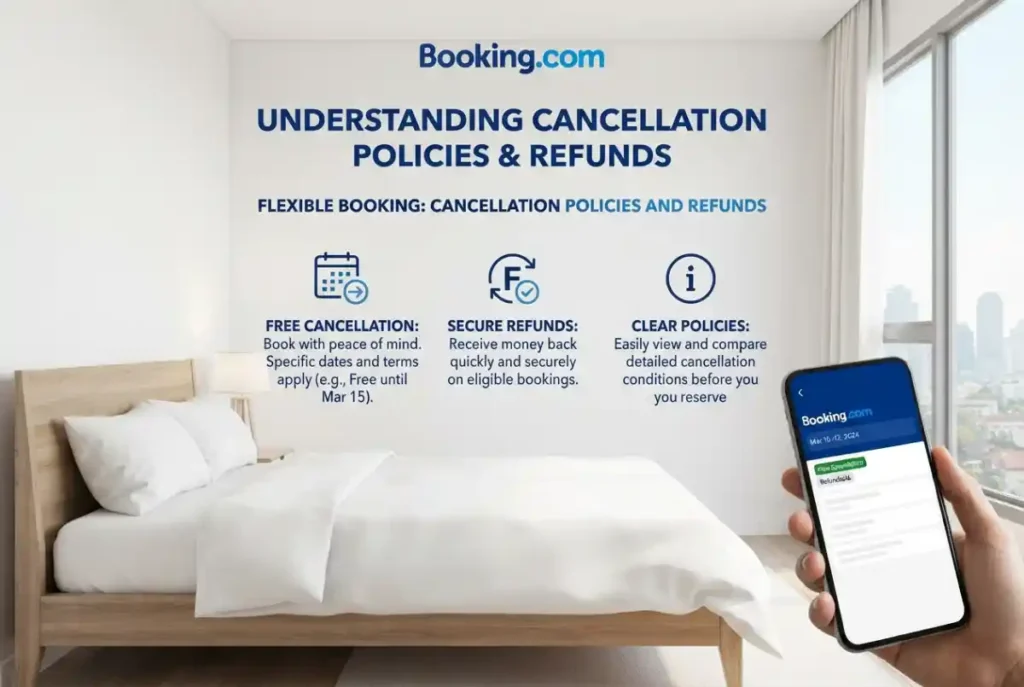
Cancellation Policies and Refunds of Booking.com
Cancellation rules are among the most important details to review before making a reservation.
A booking may offer free cancellation until a stated deadline, allow cancellation with a fee, or be nonrefundable. The exact conditions depend on the selected rate and service provider.
According to the platform’s official guidance, cancellation fees are determined by the property’s policy shown in the reservation details. Nonrefundable bookings may carry charges if canceled. Source.
Before confirming a reservation, check:
- The final date and time for free cancellation.
- The fee that applies after the deadline.
- The refund amount and expected processing conditions.
- The rules for changing travel dates.
- The procedure for canceling through your reservation.
- Any separate conditions for flights, rental cars, or activities.
If your travel plans change, open your reservation and follow the available cancellation or modification instructions. Keep a copy of any confirmation showing that the request was submitted.
If a refund is due, the processing time can depend on the payment method, service provider, and booking circumstances. Contact customer support if the stated timeframe has passed or the refund information is unclear.
Travel insurance may provide additional protection for certain covered events, but coverage varies. Read the policy before purchasing it, and do not assume it covers every reason for canceling a trip.
Is Booking.com Safe and Legitimate?
Yes. booking.com is an established international travel platform that connects travelers with accommodation providers and other travel businesses. However, using a legitimate platform does not eliminate every risk associated with travel reservations.
Travelers should still verify their booking details and protect their personal information.
Verify the Property
Read recent reviews and examine the listing carefully. Look for consistent information about the address, amenities, check-in procedures, and property rules.
If the location or description seems unclear, contact the property through the official reservation messaging system before booking.
Keep Payments and Communication Secure
Be cautious if someone requests payment through an unexpected link, gift card, cryptocurrency, or an unusual bank transfer.
If you receive a suspicious message claiming that your reservation will be canceled unless you pay immediately, verify the request through your official booking account or customer support.
Avoid sharing passwords, verification codes, or unnecessary personal information with anyone contacting you unexpectedly.
Check Your Confirmation
After booking, confirm that the reservation appears in your account and that you received the expected confirmation.
If a property cannot locate your reservation, contact the platform and provide your confirmation number through an official support channel. Do not assume that a payment receipt alone proves that all reservation details are correct.
Contact Customer Support When Necessary
The platform provides customer service through its official help channels, including messaging and telephone support. Availability and contact options can depend on the booking and your location.
Use the contact details provided through the official website or app rather than relying on phone numbers or links from unfamiliar messages.
For urgent accommodation problems, contact the property and customer support promptly. Keep records of relevant messages, receipts, and any alternative accommodation costs.
Advantages and Disadvantages of Booking.com
Like other travel platforms, the service has benefits and limitations.
| Advantages | Disadvantages |
|---|---|
| Lets travelers compare many properties | Prices and availability vary by date |
| Offers hotels, apartments, and vacation rentals | Not every property has the same cancellation terms |
| Provides guest reviews and property details | Listings may require careful verification |
| Offers filters for price, location, and amenities | Extra fees can affect the final cost |
| Supports reservation management online | Resolving a booking problem can take time |
| Provides access to selected travel services | Some deals may be nonrefundable |
The main advantage is convenience. Travelers can compare different types of accommodation without visiting every property website individually.
The main limitation is that a search result does not tell the whole story. Guests still need to read the full terms, confirm the total cost, and understand who is responsible for delivering the service.
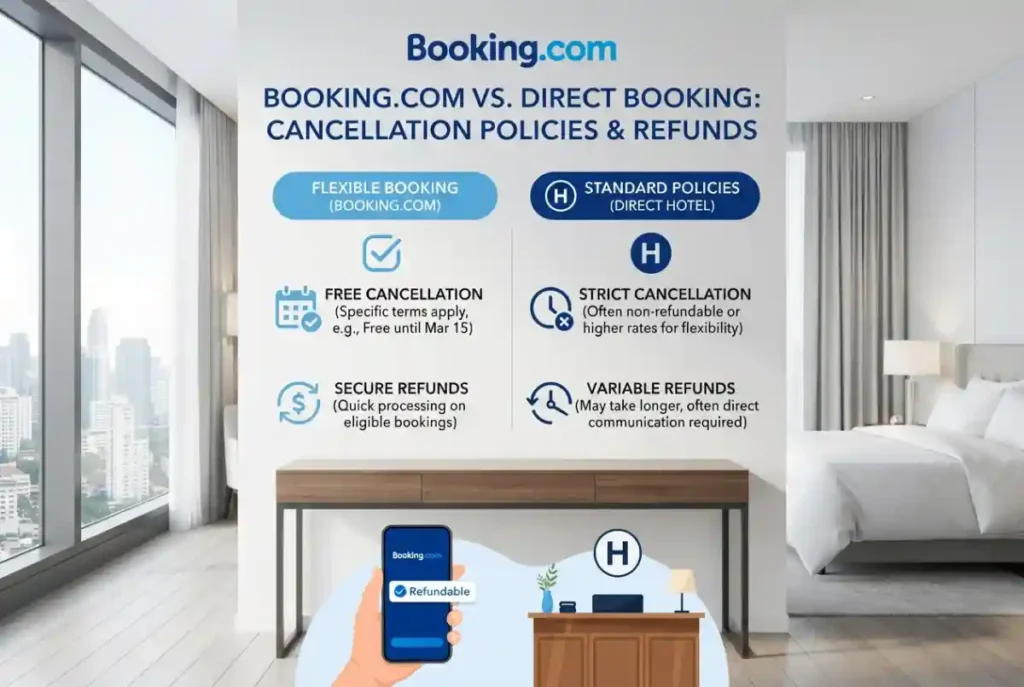
Booking.com vs. Booking Directly With a Hotel
Booking through a travel platform and reserving directly with a hotel can both be reasonable choices. The better option depends on price, flexibility, benefits, and the type of support you prefer.
Booking through a platform can make it easier to compare several properties and review different room options. It can also help keep reservations organized in one account.
Booking directly with a hotel may provide access to property specific packages, loyalty benefits, or special conditions. Some hotels offer perks to guests who reserve through their own websites, although these benefits vary.
Before deciding, compare the following:
- The total price, including taxes and fees.
- The cancellation and modification rules.
- Breakfast, parking, and other included benefits.
- Loyalty points or member discounts.
- Payment deadlines and deposit requirements.
- The process for handling a reservation problem.
For example, a hotel might offer a slightly lower rate through a travel platform, while its own website includes breakfast. Compare the value of the complete offers rather than focusing only on the headline price.
If the prices and conditions are similar, choose the option that offers the best combination of convenience, flexibility, and useful benefits.
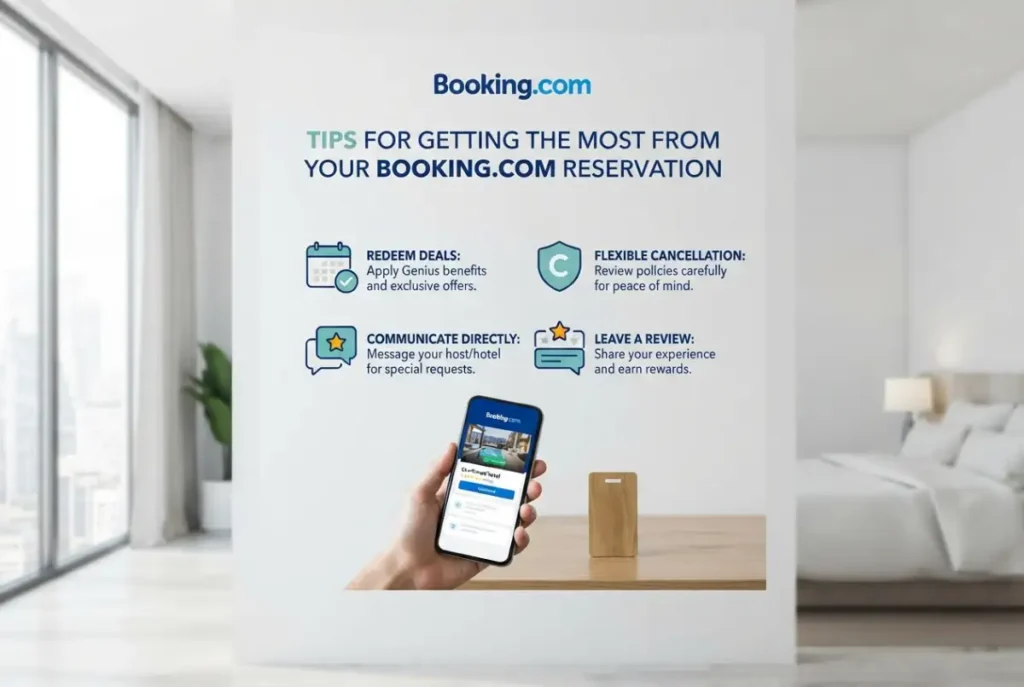
Tips for Getting the Most From Your Reservation with Booking.com
A few simple habits can make travel planning easier and help prevent common problems.
Book with accurate guest information. Enter the correct names, dates, and number of travelers. Check whether the property requires identification at check-in.
Confirm special requests. If you need an accessible room, crib, extra bed, or late arrival arrangement, contact the property and request confirmation. A request is not always guaranteed.
Save important details offline. Keep the address, confirmation number, check-in instructions, and property phone number accessible when traveling. Internet access may be limited during your journey.
Check transportation options. Estimate the cost of airport transfers, parking, rideshares, or public transit before selecting a property.
Review the final confirmation. Verify dates, room type, occupancy, payment terms, and cancellation conditions immediately after booking.
Plan for unexpected changes. Keep a copy of your travel documents and understand the steps for contacting the property and customer support.
These steps are useful for both short domestic trips and longer international vacations.
Frequently Asked Questions About Booking.com
What is Booking.com used for?
It is an online travel platform used to search for and reserve accommodation, flights, rental cars, airport transportation, and selected attractions. Available services vary by destination and market.
Is Booking.com free to use?
Travelers can generally search and compare options without paying a separate browsing fee. The price of a reservation depends on the selected service, property, dates, and booking conditions. Review the total amount before confirming.
Can I cancel a hotel reservation?
Yes, if the reservation permits cancellation. Some bookings include free cancellation until a specified deadline, while others carry a fee or are nonrefundable. Always check the policy attached to your specific reservation.
Does Booking.com offer vacation rentals?
Yes. Its accommodation listings include apartments, homes, villas, and other rental options, depending on the destination. Review the listing for occupancy limits, amenities, cleaning charges, and house rules.
Can I book flights and rental cars?
Yes. Flight and car rental services are available in supported markets. Check fare restrictions, baggage rules, insurance options, deposit requirements, and cancellation conditions before completing your purchase.
How do I contact customer service?
Use the official help center or the contact options associated with your reservation. Depending on the issue, you may be able to send a message, call support, or contact the property directly.
How can I find cheaper accommodation?
Compare dates, locations, property types, and total prices. Review member discounts when available, and consider properties outside the busiest tourist areas if transportation remains convenient.
Should I book through a platform or directly with a hotel?
Compare the total cost, cancellation rules, included amenities, and loyalty benefits. A platform may offer easier comparison, while a hotel’s direct website may provide different packages or perks.
Final Verdict
booking.com can be a practical resource for US travelers who want to compare hotels, vacation rentals, and selected travel services in one place. Its search filters, guest reviews, and reservation management tools can make trip planning more convenient.
The smartest approach is to look beyond the advertised price. Compare the complete cost, read recent reviews, check cancellation rules, and verify the property details before paying. With a little research, you can choose accommodation that fits your budget, travel plans, and expectations.

Rowan Blake reviews websites, online services, and digital tools to help readers make informed decisions. With a focus on honest insights, practical comparisons, and clear explanations, Rowan makes it easier to discover useful platforms and choose the right tools with confidence.